The honest explanation · free fix in your browser
How to fix the date on WhatsApp photos
Photos show today's date not by mistake: the real date was never inside the photo. It was written into the file name, and the name is the only thing that survives the trip. This page explains exactly what happens, how to find each photo's real date, and what to do — including the cases where the date genuinely no longer exists.
Nothing leaves your device. The tool this page points at runs entirely in your browser: no server, no account, and not a single photo is uploaded anywhere. The only outbound connection is to Stripe's site, and only when you decide to pay.
Why WhatsApp photos end up dated today
To save space in the conversation and on your storage, WhatsApp strips the metadata from photos before storing them. The metadata (the block called EXIF) is the invisible information a camera writes alongside the image: when the photo was taken, the camera model, the lens, the ISO, the orientation. Once that is removed, WhatsApp leaves the date only in the file name.
That is why the name has that specific shape, with the date built into it:
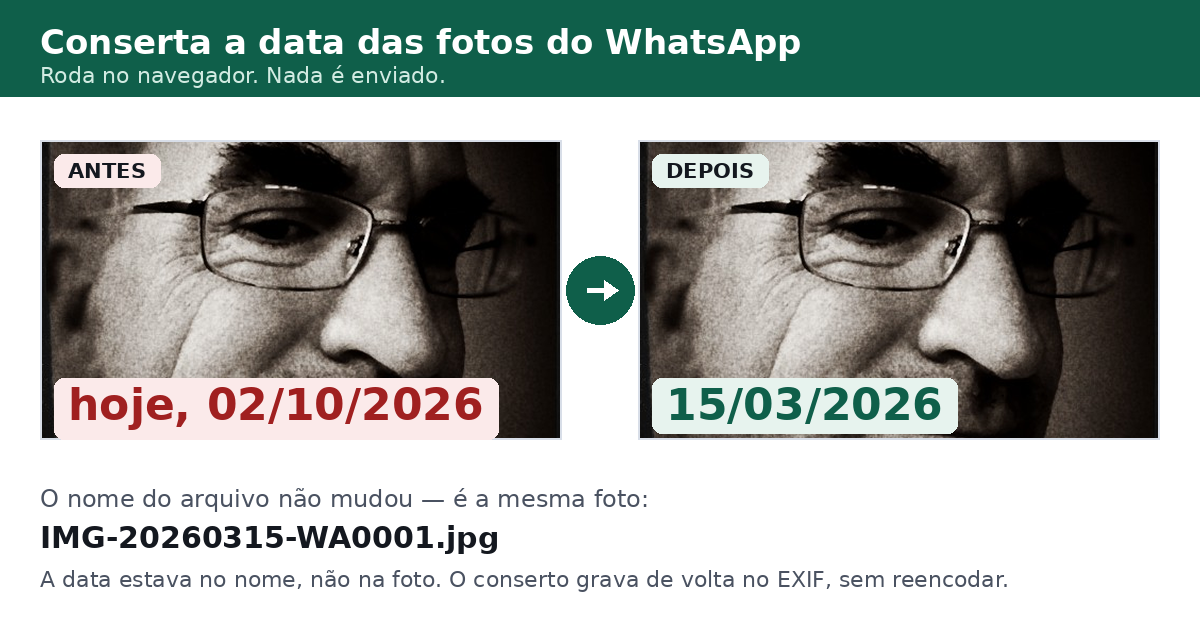
IMG-20260315-WA0001.jpg
Reading it: IMG (image) — 2026 (year) — 03 (March) — 15 (day) — WA0001 (send number). The name knows the photo is from 15 March 2026.
As long as the name is there, nothing serious has happened. The date is present — just not where programs usually look for it. The trouble starts when:
- you save the photo under another name (
photo1.jpg) — the new name carries no date; - your phone or computer then falls back to the file's modification date and shows it as the photo's date;
- or the app organising your gallery reads the date from inside the photo, finds nothing, and assumes "today".
Since almost everyone saves WhatsApp photos under a different name (the gallery's save button renames them), the original date disappears from view. The photo carries no date inside it, and any program that never sees the original name will show today's date.
How to spot the date hidden in the name
Open the folder the photos were saved to, turn on file extensions (on Windows: View → Show → File name extensions) and look at each file name. The date is always in the same place: four-digit year followed by two-digit month and two-digit day.
| In the name | Date it means | Where it comes from |
|---|---|---|
IMG-20260315-WA0001.jpg | 15 March 2026 | Android |
WhatsApp Image 2026-03-15 at 14.30.45.jpeg | 15 March 2026, at 14:30:45 | iPhone |
VID-20251231-WA0007.mp4 | 31 December 2025 (video) | Android |
PTT-20260315-WA0011.opus | 15 March 2026 (audio) | Android |
photo-no-date.jpg | No date at all | Any |
Note that the Android name puts the date in year-month-day order (2026, 03, 15), while the iPhone name uses dashes and includes the time. Either way, the real date is readable from the name.
How to fix it: step by step
There is a free tool that does this in your browser without uploading anything. The full step-by-step is:
- Open the tool in your browser, on a computer or a phone. No install, no account.
- Choose the files — one photo, several, or the whole folder. The names still need to carry the date, because that is where the tool gets the real one from.
- Press "Fix". The tool reads the date from each name and writes that date into the photo's EXIF block. It does not re-encode the image: the photo is the same, only the metadata is written.
- Download the fixed files. Each corrected photo is saved with its real date inside it. From then on Windows Explorer, Google Photos and your phone show the right date.
The fix is free and requires no payment. If you would rather support the project, the amounts are on the pricing section of the tool.
What to do when the file name has no date (the renamed iPhone case)
This is the most common case after the first one, and it needs to be stated honestly: if the name carries no date and the photo has no EXIF, the original date is gone — it is nowhere to be recovered. There is no hidden copy inside the file.
In that case the honest options are:
- Use the file's own modification date. When WhatsApp saves a photo, the file gets the date it was saved on. If you saved it over the old photo, that date is close to the original; if you saved it long afterwards, it is only a record of when the file was written, not a real capture date.
- Go back to the original conversation. If the photo is still in the WhatsApp chat, the app knows the moment you received it — scroll up to the photo and read the time stamp.
- Accept "today" in your gallery and treat the chat's date as the reference you actually trust. It is the only true information left.
The tool does not invent a date in that case: when the name has no date, it says so and hands the file back unmodified instead of writing a wrong date. A silently invented date would be worse than no date at all, because you would have no way of knowing it was false.
If the photo already had a date
If a photo already carried a date inside it (a camera photo rather than a WhatsApp one), the tool keeps the old date by default. It only changes it if you tick the overwrite option. And when it does, it writes the new date into the EXIF that already existed, without erasing the orientation, camera model, lens, ISO or thumbnail — nothing already there is lost. If a photo has a camera block only that camera can rewrite (the MakerNote), the tool refuses that photo and hands the file back completely unmodified rather than returning something corrupted.
One honest caveat about the date shown in the folder: the browser saves the downloaded file with the current date — no browser lets you choose otherwise. What is written inside the photo (the EXIF) is the real date, and that is what Windows Explorer, Google Photos and your phone read. To change the folder date too, move the file after downloading it.
Summary
- The WhatsApp date is written in the file name, and the EXIF is removed to save space.
- If the name carries the date in the WhatsApp pattern — the one in the table above, Android's or iPhone's — the true date can be read back and written into the photo.
- If the name has no date, the real date is gone: all you can use is the file's modification date or the date from the conversation, and the tool says so instead of inventing one.
- The tool does all of this inside your browser, without uploading a single photo to any server.